macOS Timeline
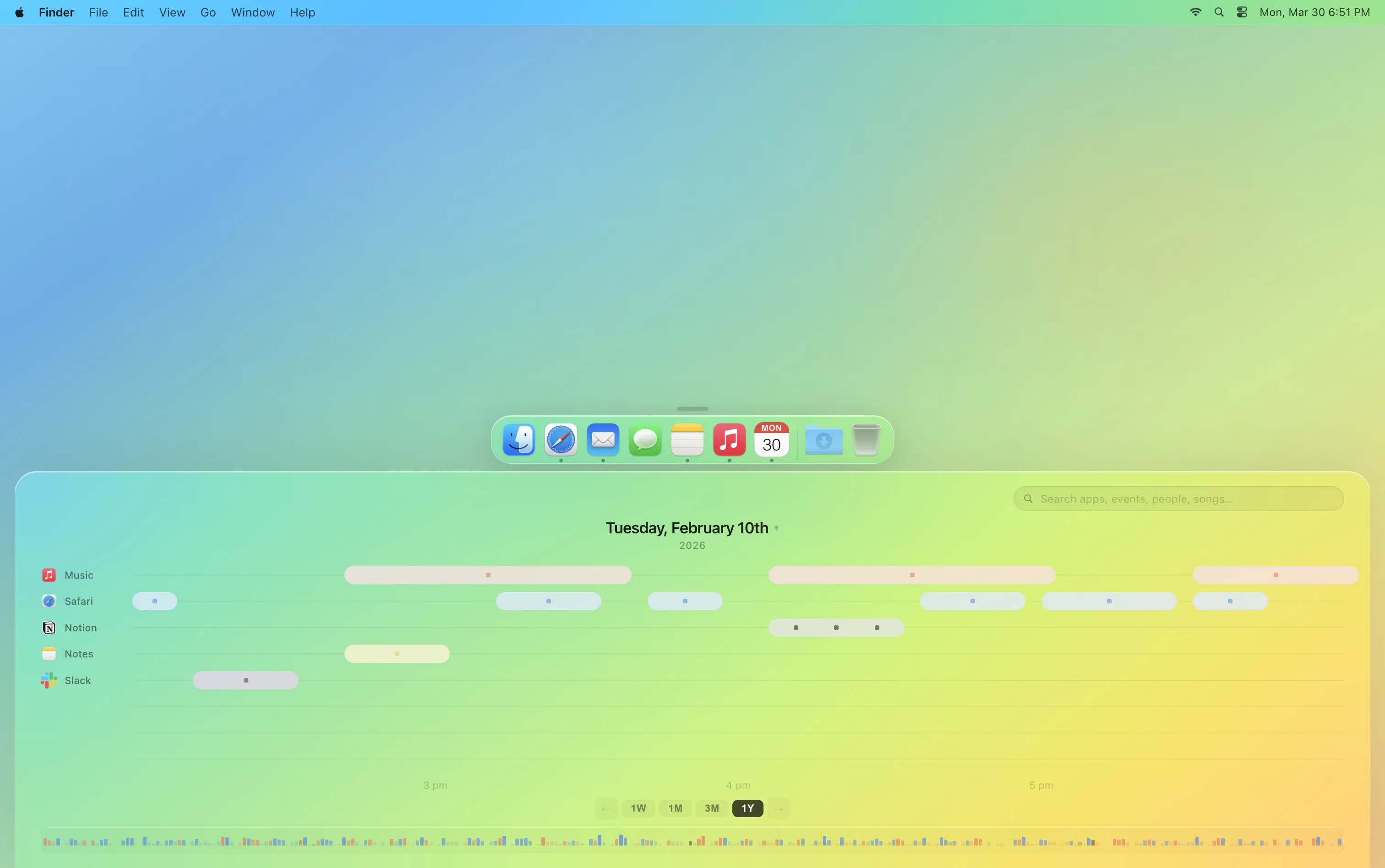
An alternative to the folder. You scrub back through your computer's history and find files by when, and alongside what, you worked on them, not where you saved them.
- Year
- 2026
- Length
- 3 months
- Team
- 2 people
- Context
- End of File, a course on the future of the digital document
- Methods
- Speculative, interaction and UI design
Question
The desktop metaphor is over 40 years old, and the document is still its basic unit. Work has outgrown it: phones hide files inside apps, versions multiply, and much of what we make lives in web services with no file at all. The course End of File asked what managing documents could look like next.
We started from how people remember their work: by moments and context, like what they were doing, in which app, around which meeting. Psychologists call this episodic memory, memory of events anchored to a time and place (Tulving, 1972), and recall improves when that original context is cued again (Godden and Baddeley, 1975). Folders ask for a place instead, chosen at the moment of saving. So what would a file system built around time and context look like?
Process
We sketched many ways to move through time on a desktop, then narrowed them to three ideas. We presented an early prototype to Alexander Obenauer (opens in new tab), an independent researcher whose work, including the timeline-based OS experiment OLLOS, explores how personal computing could be organised. His main advice was to lean into searching by context.
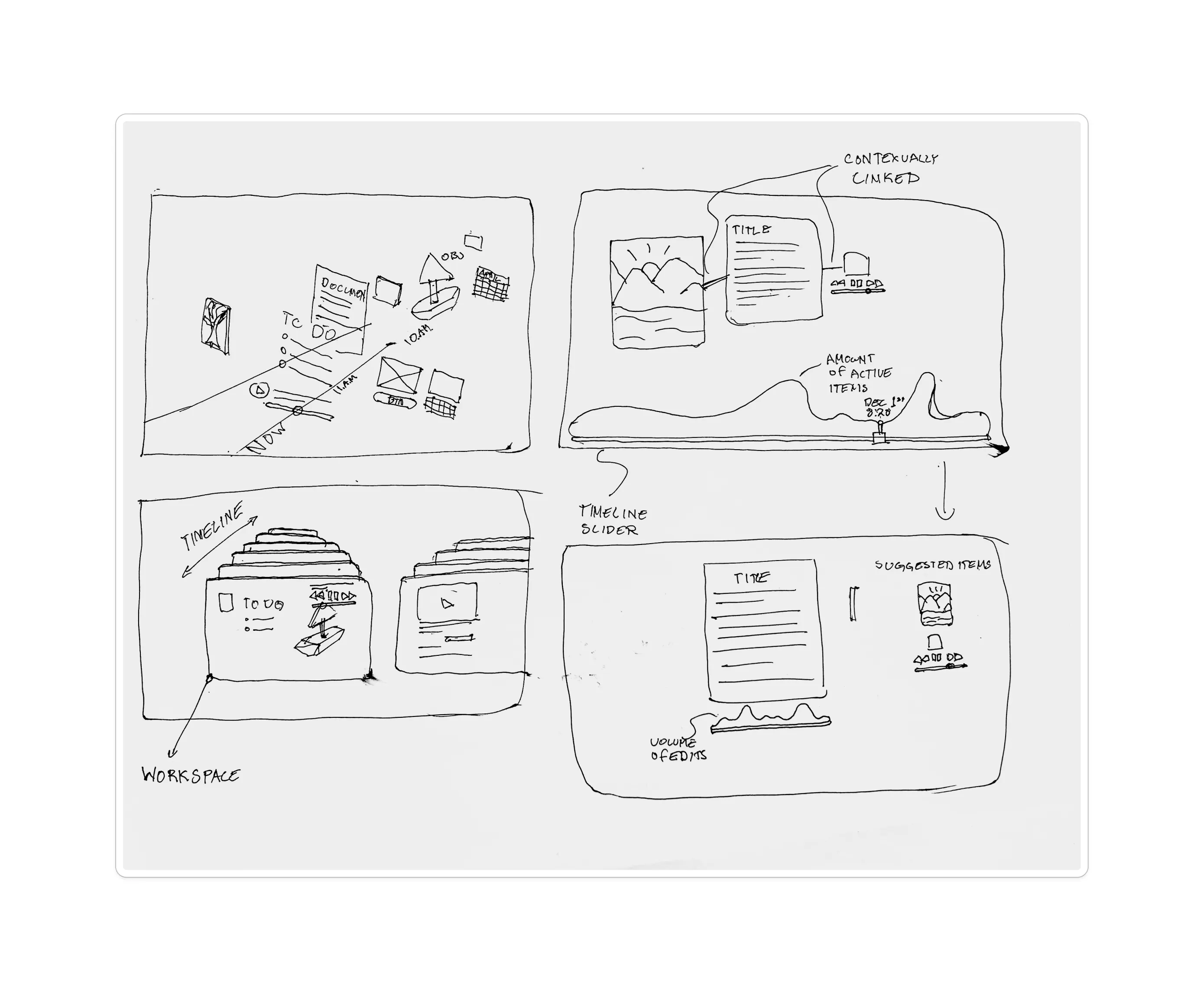
Documents as living things. One document holds all of its versions and branches, so you can see how an idea developed instead of hunting through "final_v3" copies.
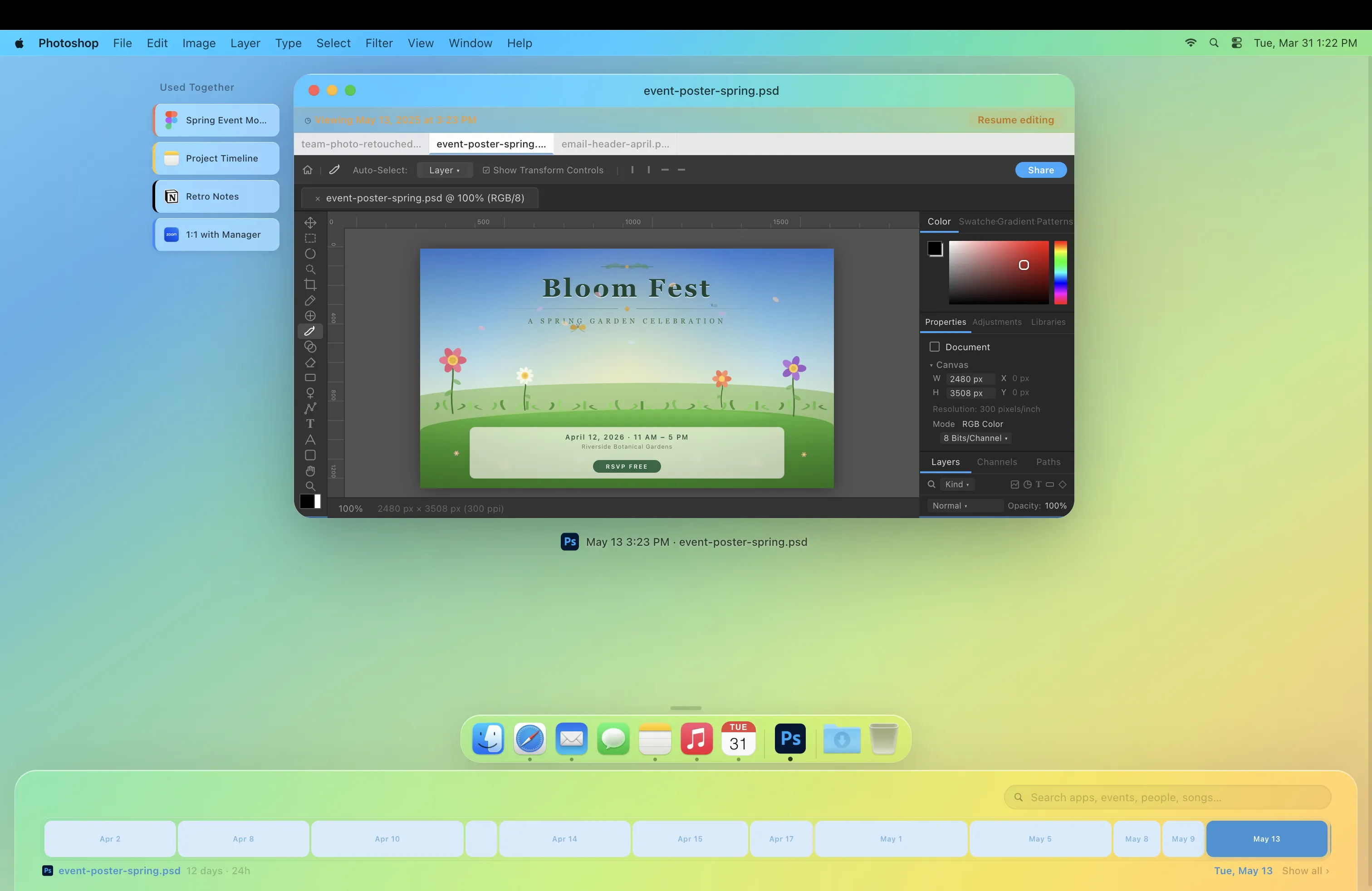
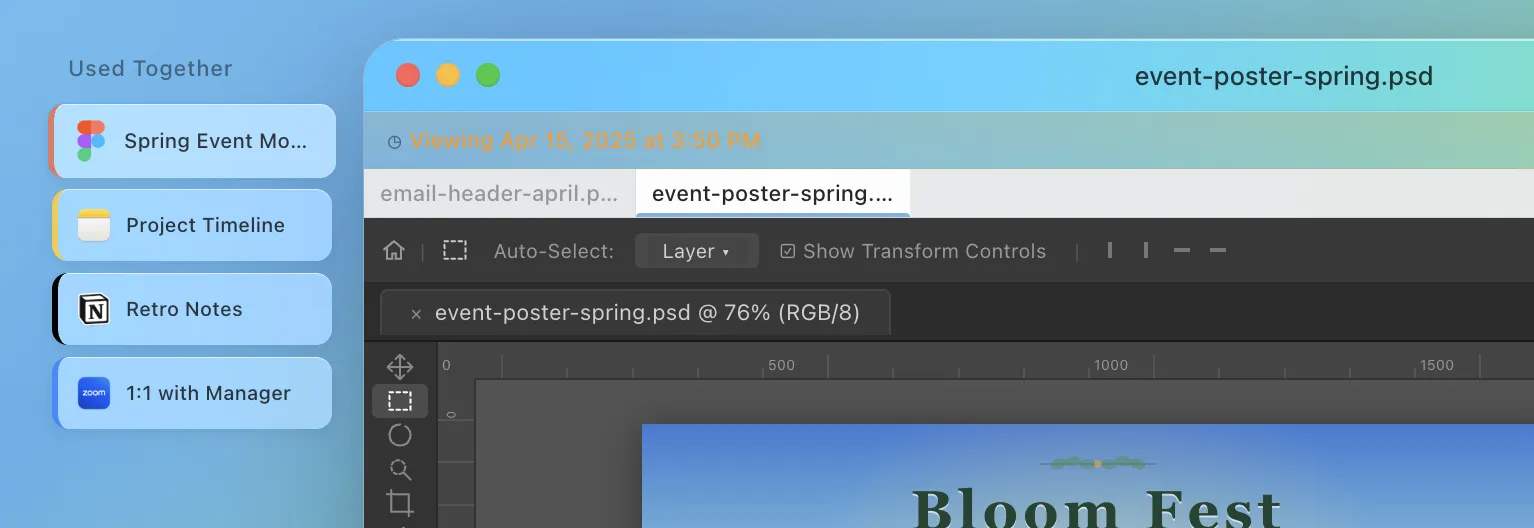
Contextual linking. Files that are opened together become linked, and the links grow stronger with use, so projects group themselves.
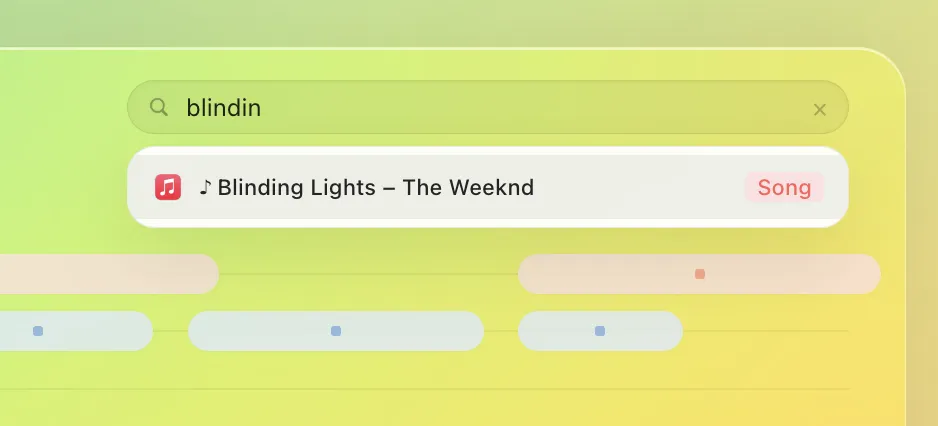
Search through context. You find a file by stacking what you remember: the app you had open, the song that was playing, the meeting it was for.
Outcome
A UI concept and a video. Unlike Microsoft Recall, which screenshots everything on screen, Timeline only records metadata (which app, which file, which song, and when), so it builds an index of your time without recording what you looked at.