macOS Timeline
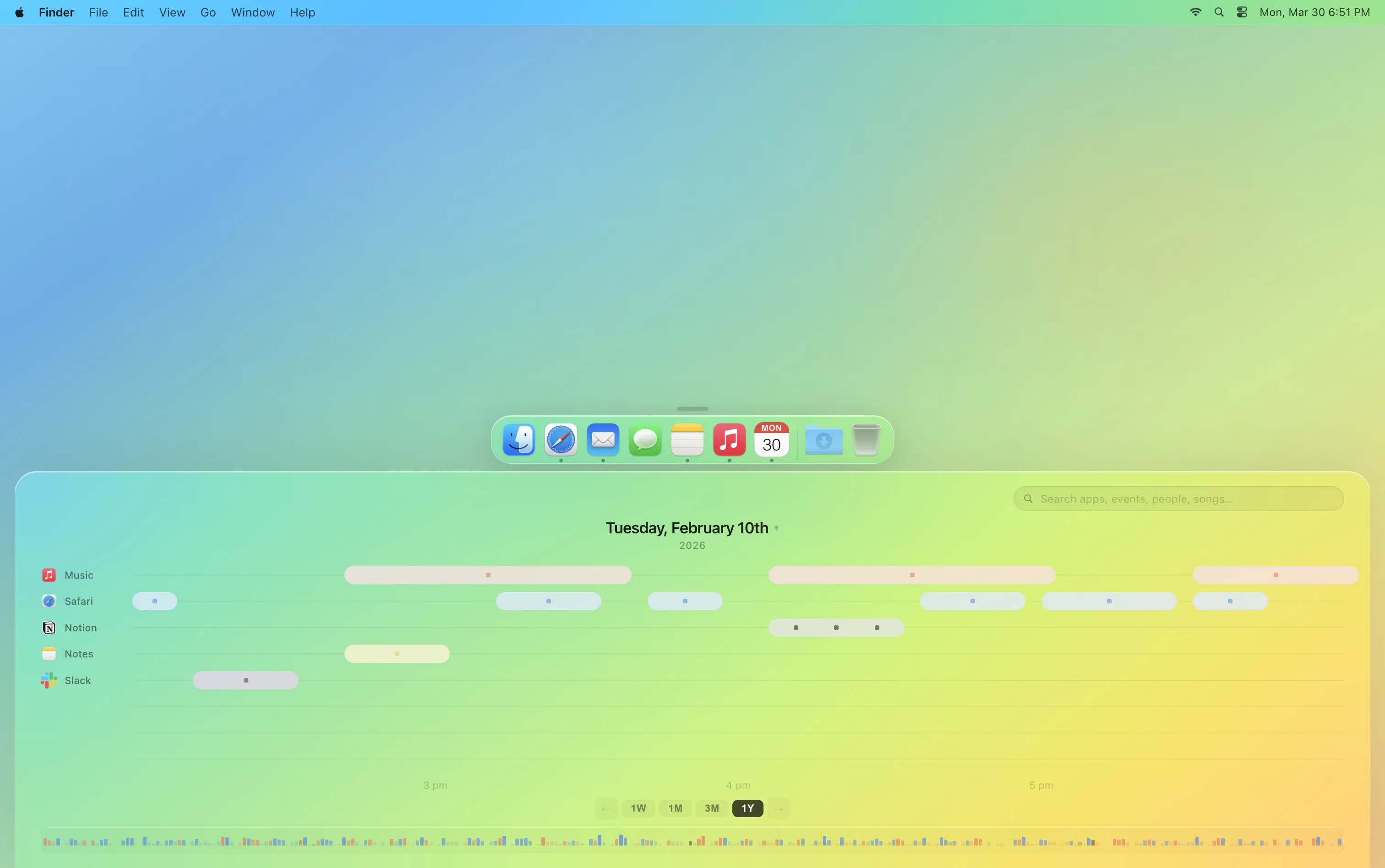
macOS Timeline proposes a time-based interface as an alternative to the traditional file system. Files have always been found by where they live: folders, directories, the desktop. But people usually remember a file by when they worked on it and what else was going on. With a timeline you can scrub, you can go back to any point in your digital history, seeing which files were open, which apps were in use and what music was playing, then resume or branch from that moment.
Duration
3 Months
Methods
Speculative Design, Interaction Design, UI Design
Team
Team of 2
Context
End of File, a course on the future of the digital document
The trouble with folders
Files are organized by place: folders, directories, drives. That works when you remember where you saved something. Often you don't, but you do remember roughly when it was, which app you were in, or what you were working on next to it.
What goes wrong
- Files exist in isolation with no clear links between related content.
- Related files are scattered across folders, apps, and formats.
- Versions pile up as copies with names like final, final-2 and final-real.
- Earlier versions get overwritten, so there is no record of how a piece of work got to where it is.
What the research says
Memory is tied to time and context
Tulving (1972) separated episodic memory, our memory of personally experienced events, each anchored to a time and a place, from semantic memory of facts. Remembering a piece of work ("the draft I wrote the night before the review") is closer to the first kind, yet folders ask for the second: a category decided at the moment of saving.
Godden and Baddeley (1975) showed that recall improves when the context at retrieval matches the context at learning. That is the basis for the intersection search: cueing the app, the song or the meeting that surrounded a document gives memory more to work with than a filename alone.
How people actually keep files
Malone (1983) found that people keep both tidy files and loose piles, because classifying things is hard, and that piles do useful work as reminders of what still needs attention. A pile is roughly ordered by time, with the latest on top, which is the behaviour Timeline turns into a system.
The research also pulls the other way. Barreau and Nardi (1995) found that people return to files by browsing to where they put them, using location itself as a reminder, and Bergman et al. (2008) found that this preference for navigating over searching held even as search got better. A time-based system has to respect that: the timeline needs to be something you can browse and scrub through, not only a search box.
Earlier attempts
Organising files by time is not new. Lifestreams (Freeman and Gelernter, 1996) replaced folders with a single time-ordered stream of documents, and Windows 10's Timeline (2018) showed recent activity by date. Both treat time as a list to scroll. This project adds two things on top: documents that keep their own history, and links that form from how files are used together.
Alexander Obenauer's OLLOS, an experimental operating system built around a timeline, is the closest recent work. We presented an early prototype to him during the project, and his main advice was to lean into searching by context.
Sketches
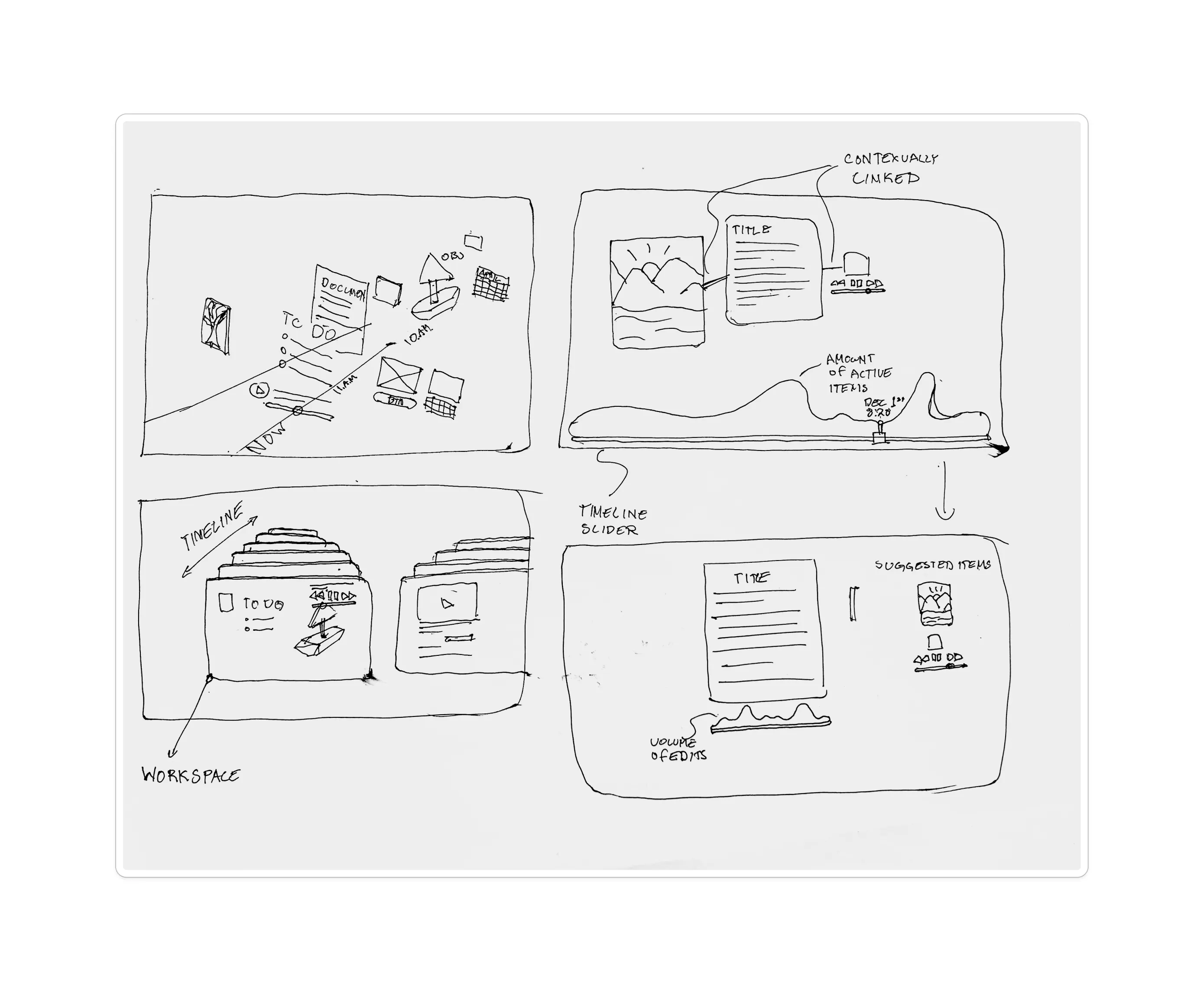
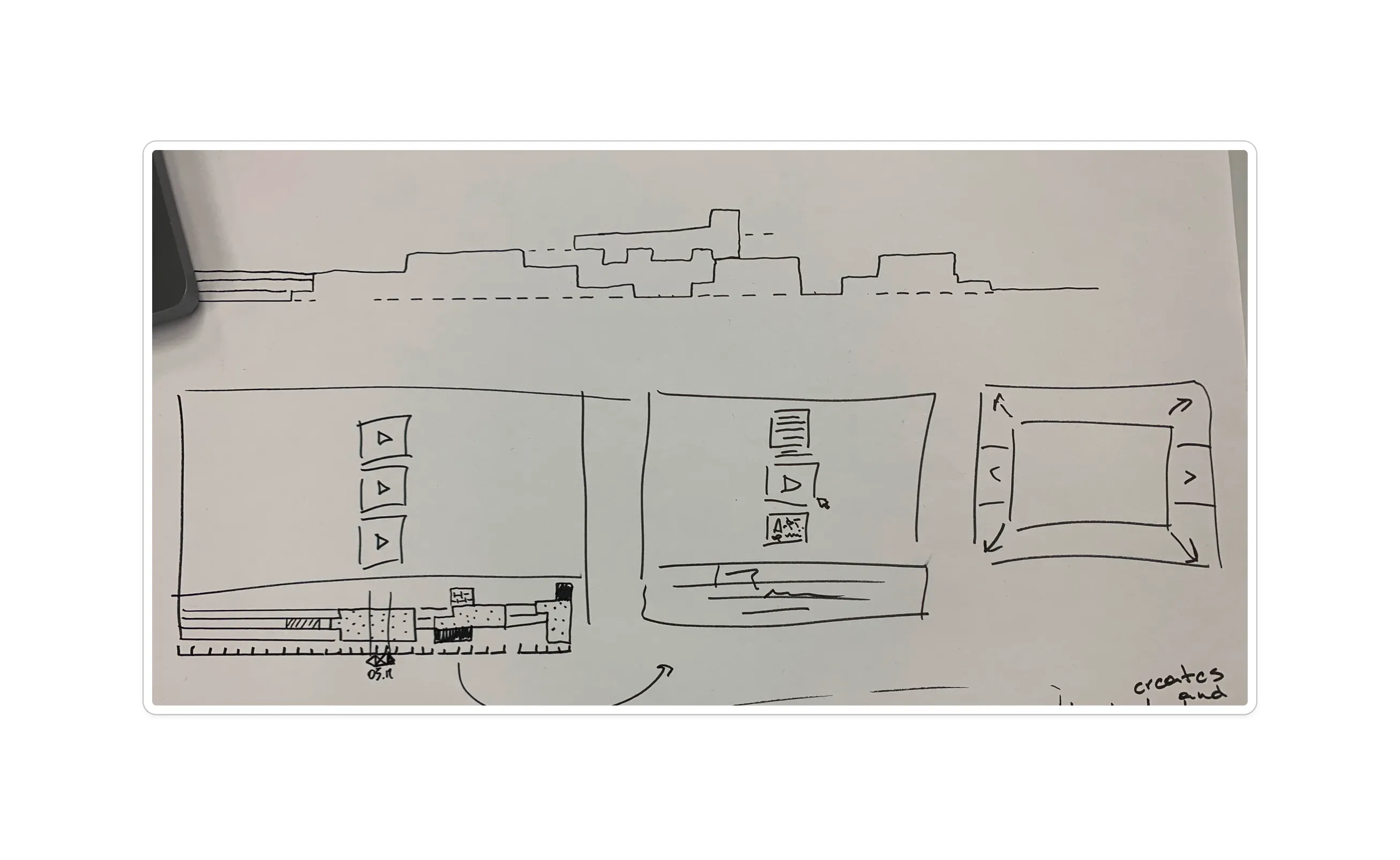
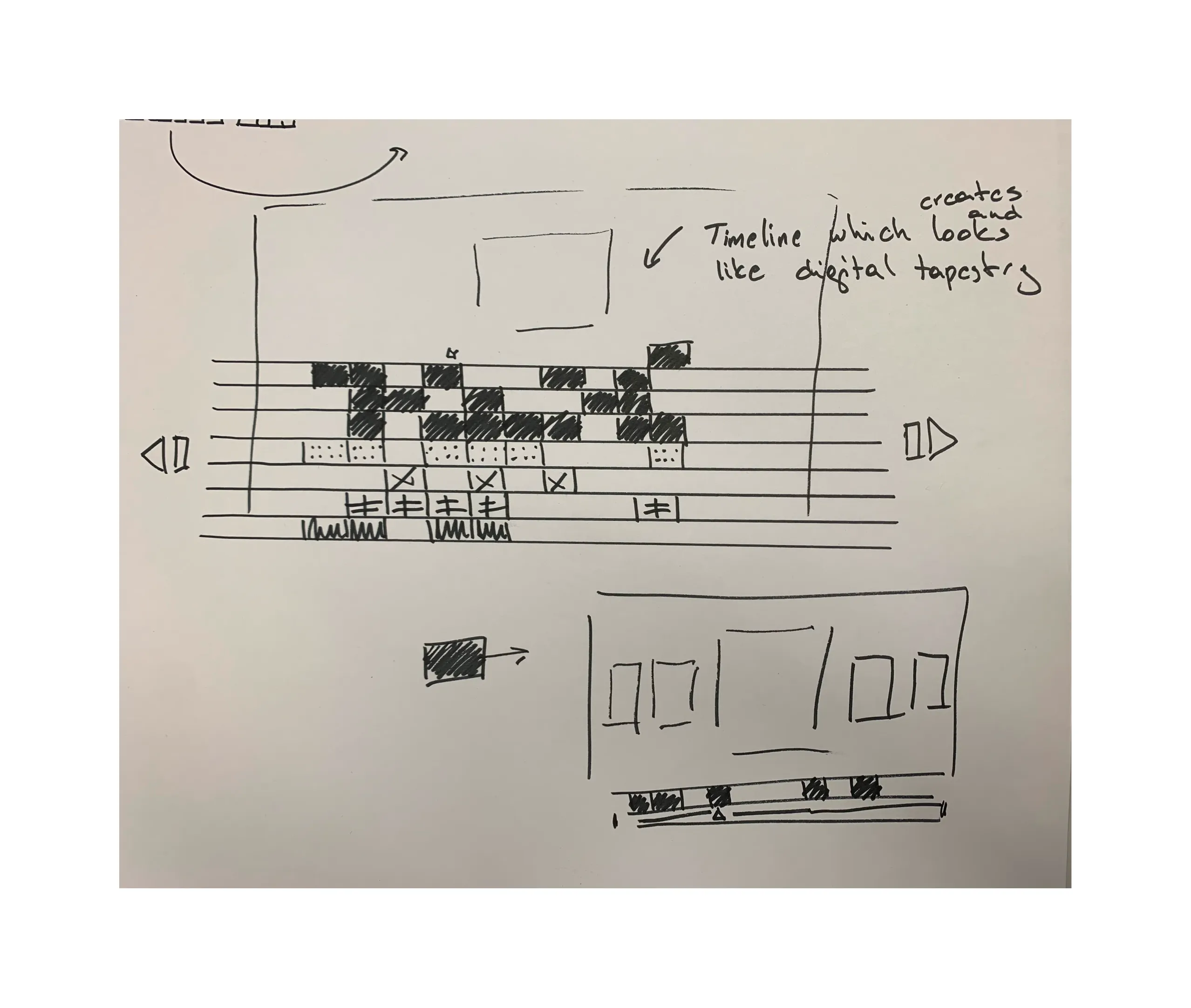
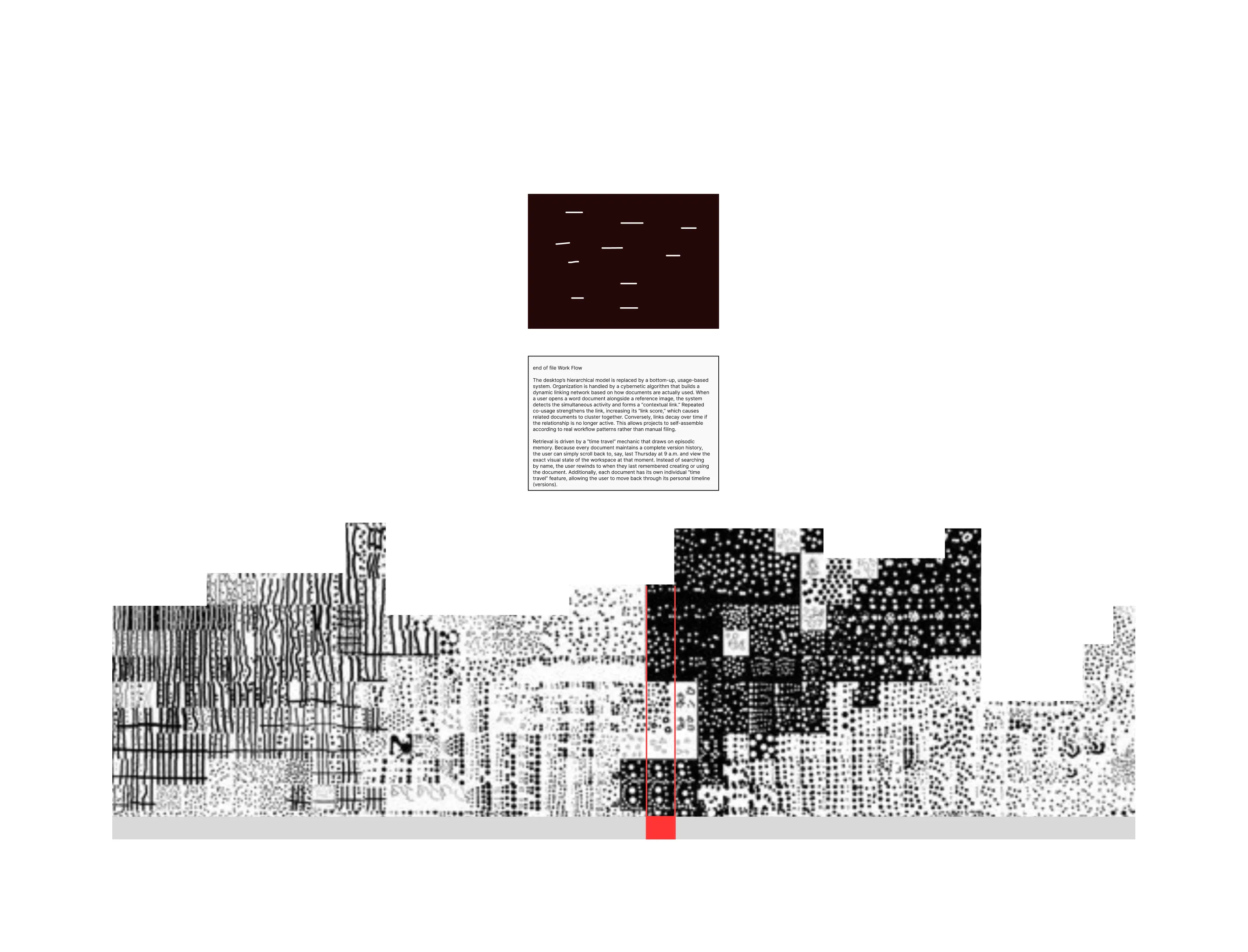
Three ideas
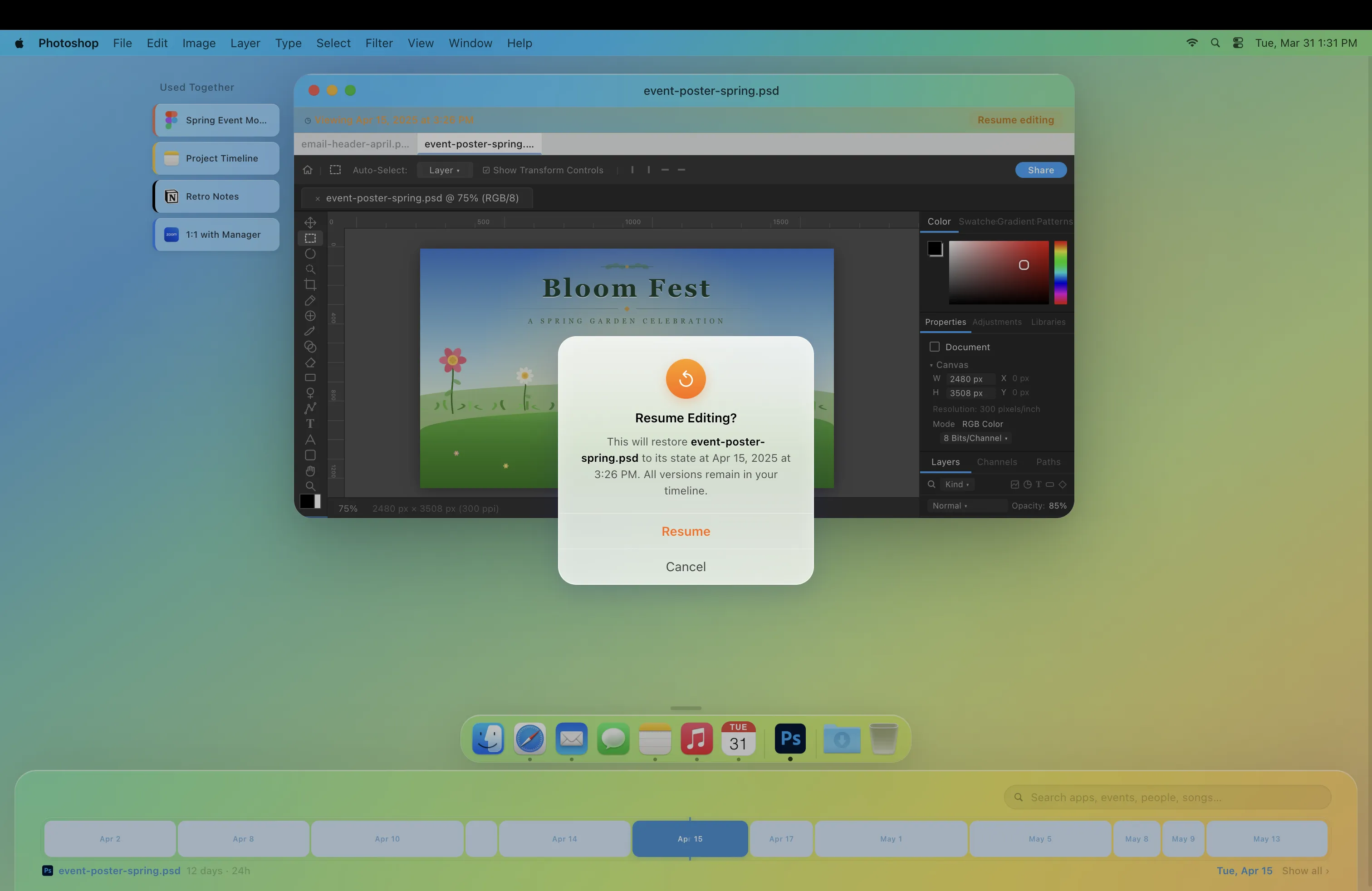
1. Documents as living things
Each document keeps every version, edit and branch inside itself instead of being saved as separate copies. You can scroll back through its history, see how it changed, pick up an older idea, or compare two versions side by side.
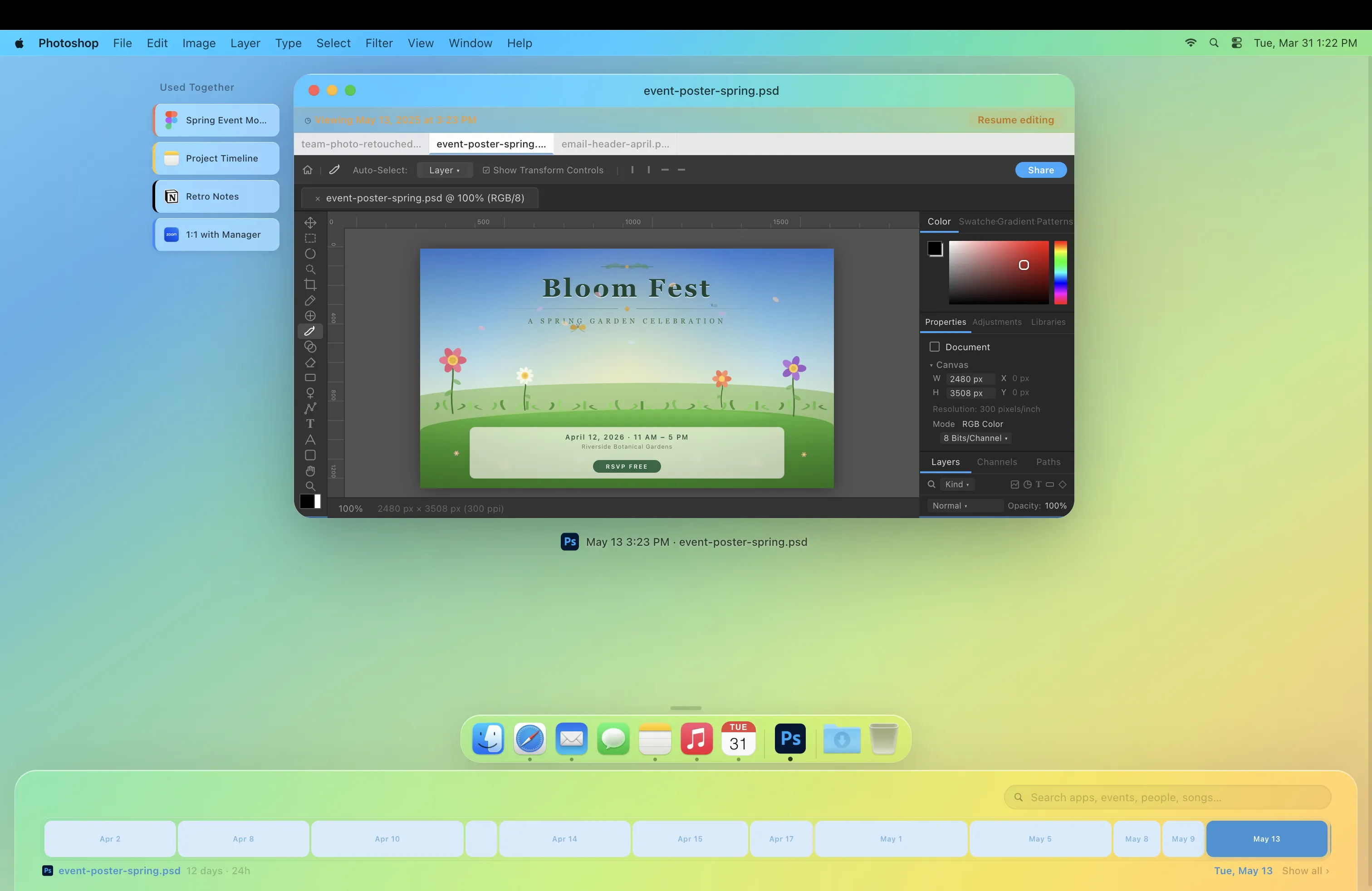
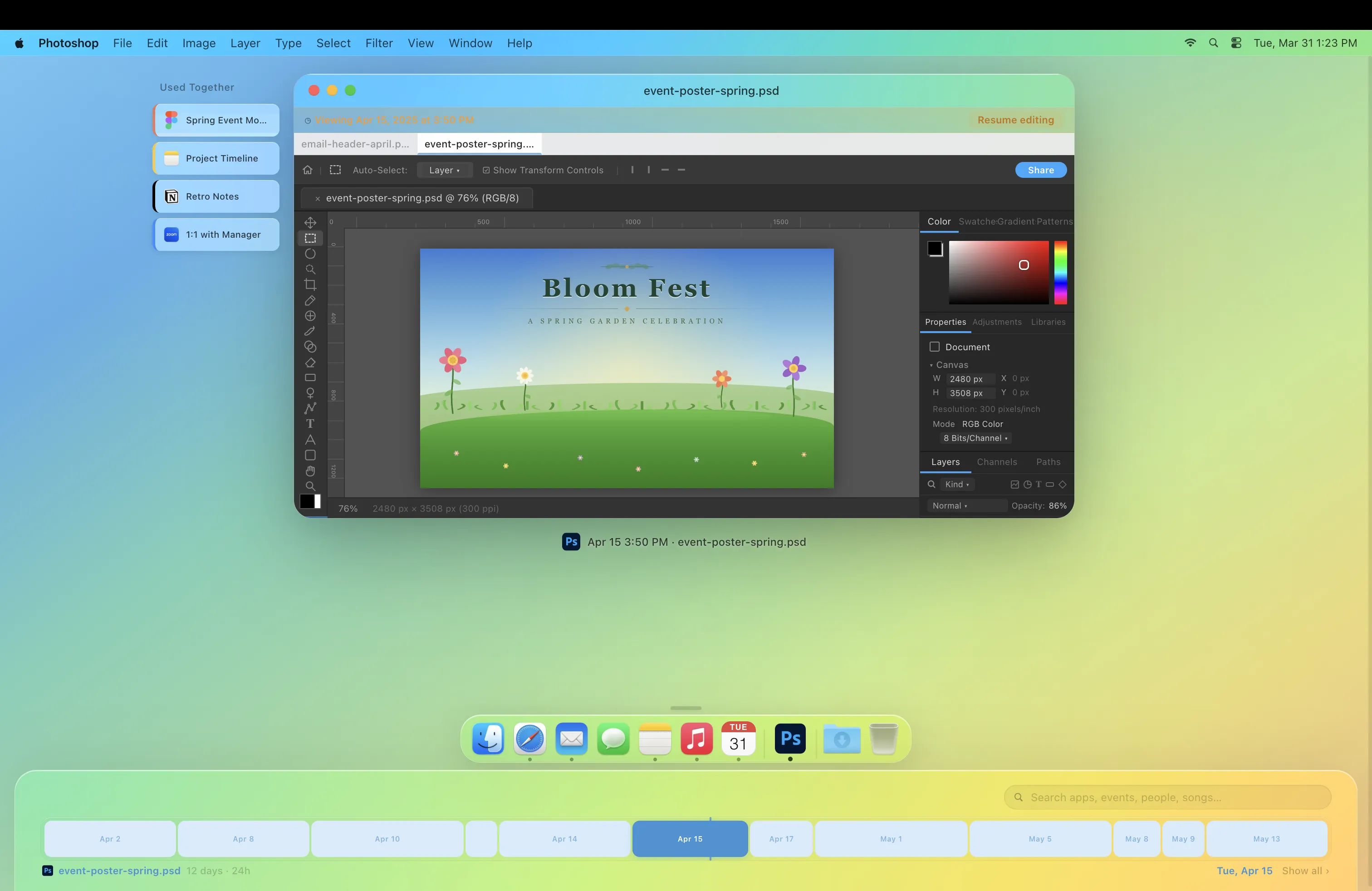
2. Contextual linking
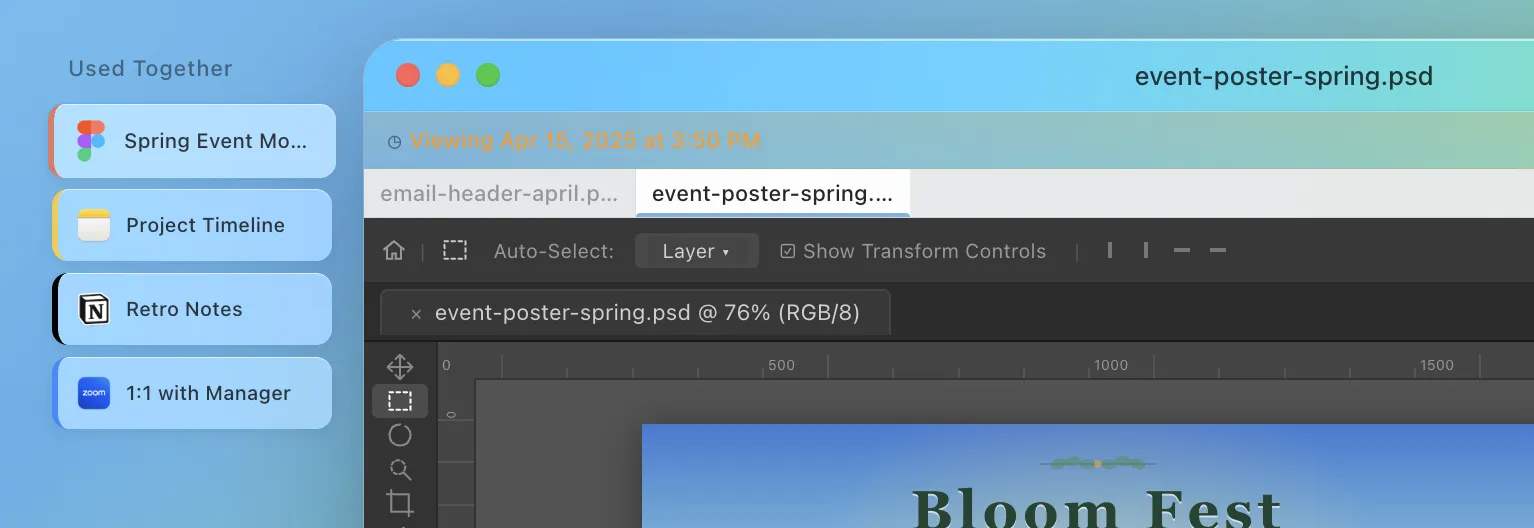
Instead of relying on folders or manual organization, documents form connections based on how they are used together. Each time two or more files are opened or edited in the same context, a link is created and strengthened over time. Files that keep getting used together end up grouped together without anyone making a folder for them. Open one, and the others you usually have open with it are right there.
3. Search through context
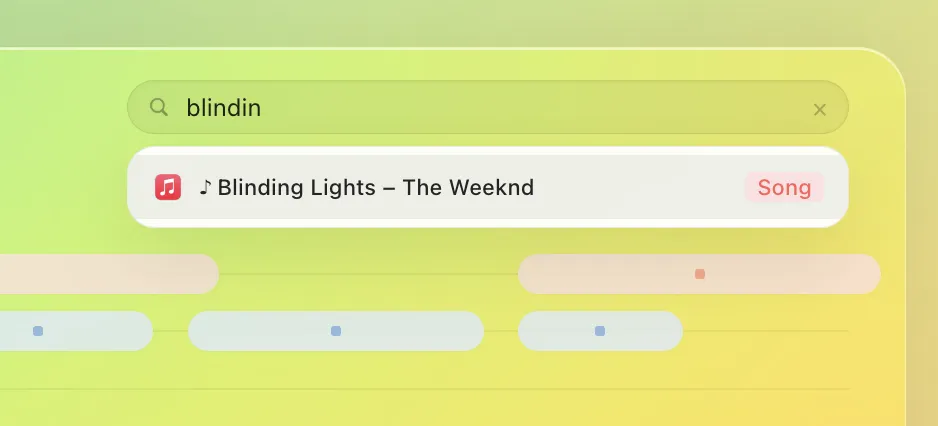
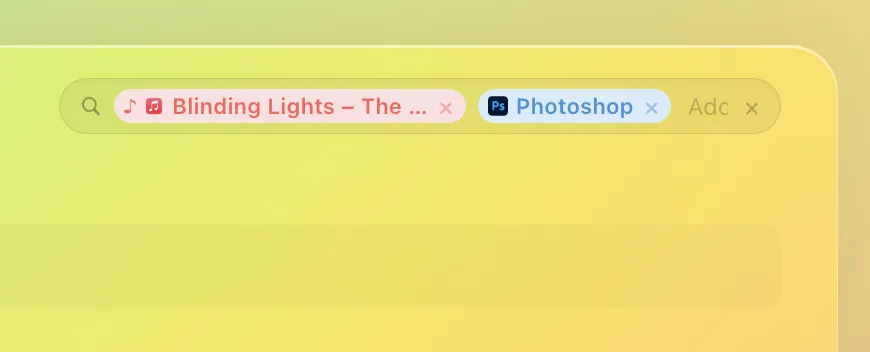
Intersectional Search lets you find any document by stacking filters: the app you had open, the song you were listening to, or the meeting it was tied to. The more context you add, the more precise your results.

The video
What about privacy?
A common first reaction is to compare this to Microsoft's Recall, which continuously screenshots user activity and processes it through an on-device AI model. That approach creates a searchable visual record of everything on screen, including passwords, private messages, and sensitive documents, raising serious privacy and security concerns. This project only works with metadata only: which app was in focus, which file was open, what song was playing, and when. Nothing on the screen is captured or stored. Metadata can still be revealing, but it captures far less than a recording of the screen.
References
Barreau, D., & Nardi, B. A. (1995). Finding and reminding: File organization from the desktop. ACM SIGCHI Bulletin, 27(3), 39–43.
Bergman, O., Beyth-Marom, R., Nachmias, R., Gradovitch, N., & Whittaker, S. (2008). Improved search engines and navigation preference in personal information management. ACM Transactions on Information Systems, 26(4).
Freeman, E., & Gelernter, D. (1996). Lifestreams: A storage model for personal data. ACM SIGMOD Record, 25(1), 80–86.
Godden, D. R., & Baddeley, A. D. (1975). Context-dependent memory in two natural environments: On land and underwater. British Journal of Psychology, 66(3), 325–331.
Malone, T. W. (1983). How people organize their desktops. ACM Transactions on Office Information Systems, 1(1), 99–112.
Tulving, E. (1972). Episodic and semantic memory. In E. Tulving & W. Donaldson (Eds.), Organization of Memory. Academic Press.